
Log in as an administrator
Sign in to Clinicorp
Access Clinicorp using an admin account for the clinic.
sistema.clinicorp.comIf you don't have admin access, ask the clinic's account owner to run these steps (or to grant admin permission to your user).
Open Gerenciar Assinatura
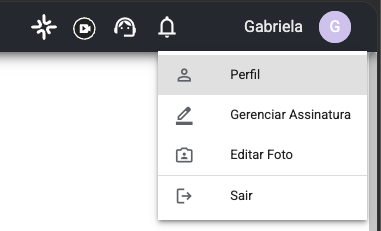
Click the user name (top right)
At the top of the screen, on the right, click the logged-in user's name to open the menu.
The menu shows Perfil, Gerenciar Assinatura, Editar Foto and Sair, as in the image below:
Click Gerenciar Assinatura
From the menu, click Gerenciar Assinatura (Manage Subscription) to open the account overview.
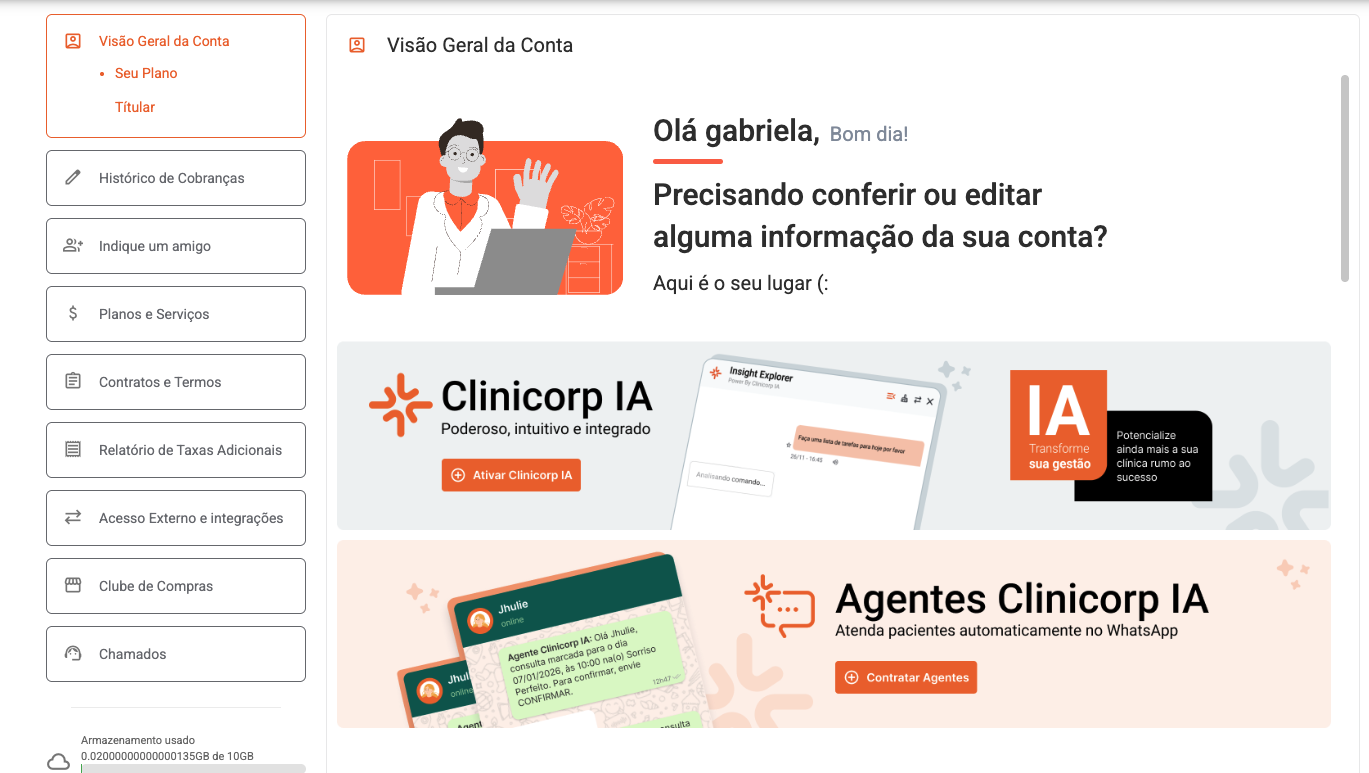
You'll be taken to the Visão Geral da Conta page, which has the sidebar with Acesso Externo e integrações.
After clicking Gerenciar Assinatura, you will be taken to the page below:
Enable the API Integration
Open Acesso Externo e integrações
In the left sidebar of the Gerenciar Assinatura page, click Acesso Externo e integrações.
The button sits between Relatório de Taxas Adicionais and Clube de Compras in the left sidebar.

Turn on the API Integration and copy the credentials
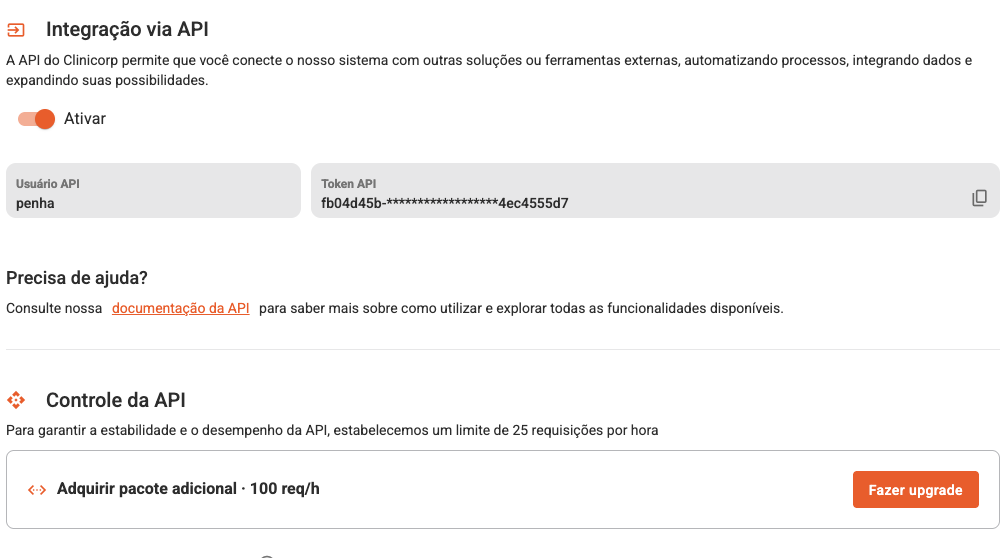
Toggle Ativar on under Integração via API and copy the Usuário API and Token API values.
Treat the Token API as a secret — it grants access to the clinic's data and Clinicorp rate-limits API use (by default, 25 requests per hour). Use the copy icon next to the token to reveal and copy the full value.
Turn on the Ativar toggle in the Integração via API section. Clinicorp will show the Usuário API (API user) and Token API you will use in Carecode:
Connect to Carecode
Now paste the credentials into Carecode's Clinicorp integration dialog at v2.carecode.ai/onboarding/ehr (during onboarding) or v2.carecode.ai/skills (if you already have an account).
Open the Clinicorp dialog in Carecode
In Carecode, choose Clinicorp as your EHR to open the integration dialog.
Carecode's dialog asks for two fields: API Username (matches Clinicorp's Usuário API) and API Key (matches Clinicorp's Token API).
Paste API user and token, then enable
Paste the Usuário API into API Username, the Token API into API Key, enable the integration and save.
After saving, use the test connection button to verify the credentials. If it fails, double-check that the Ativar toggle is still on in Clinicorp and that you copied the full token (not the masked `` preview).